









































What exactly is an eSIM? How does it differ from a traditional SIM card, and how can you make the most of it? Let’s dive into the details below!
- What map app to use in China: 5+ best map apps in China for First-Time Travelers
- Which VPN is Good in China: How to Use, Best VPNs in China for Tourists
- Tourist SIM card Thailand — How to buy the best Thailand prepaid SIM card for tourist
- How to get Philippines tourist SIM card?
- This new app will help you get paid for flight delays & cancellations
For many people around the world, travel serves as an effective form of “healing.” Exploring new lands, experiencing diverse cultures, and immersing oneself in beautiful natural landscapes are wonderful ways to recharge, shake off stress, and leave fatigue behind.
To ensure a truly fulfilling trip, having the right travel tools is essential. Among these, the eSIM has become an indispensable companion for globetrotters. It offers seamless global connectivity, sparing you from high costs and complicated procedures. Discover more with Klook Vietnam!
What Is an eSIM? Why Is It Becoming a Growing Trend?

5G eSIM Mainland China, Hong Kong and Macau
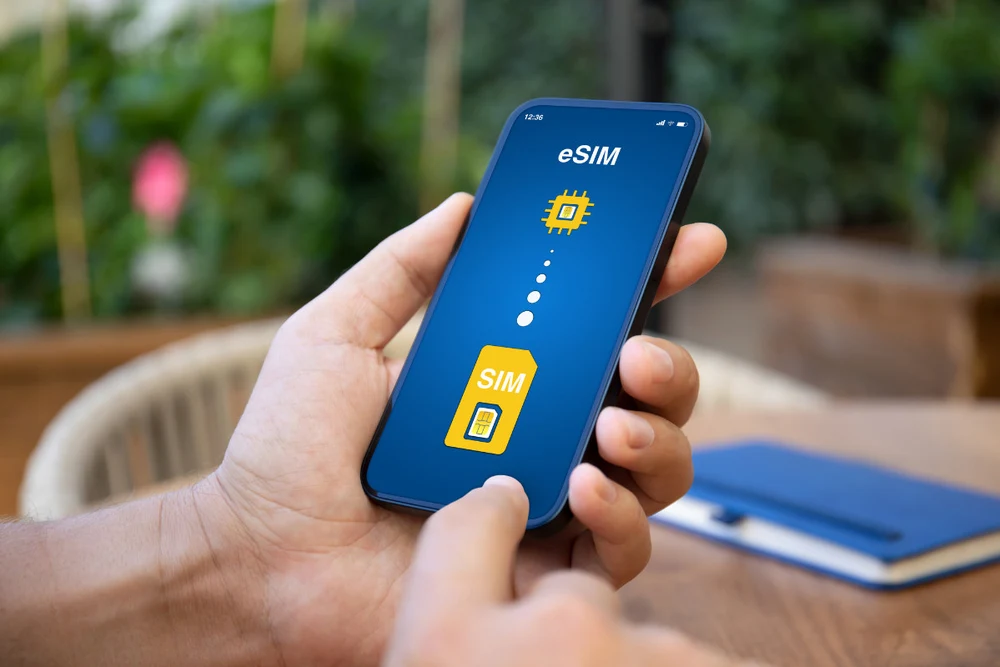
An eSIM (short for “Embedded SIM”) is more than just a technological advancement—it has become an invaluable asset for the modern traveler. Unlike a traditional physical plastic SIM card, an eSIM is a tiny chip integrated directly into the circuitry of your smartphone or smartwatch.
The arrival of an eSIM has completely transformed how travelers prepare for internet access when heading abroad, thanks to several highly practical advantages:
Instant internet access upon landing: No more waiting in long lines to buy a SIM card at the airport or struggling to find free Wi-Fi. You can purchase and install an eSIM online from the comfort of your own home. As soon as you land, simply switch your network settings to start browsing the web, hailing a ride, or checking maps immediately.

No risk of losing your SIM; keep your original number connected: This is the biggest advantage. There’s no need for physical insertion or removal, completely eliminating the risk of dropping or losing your tiny physical SIM card. Furthermore, while using an eSIM for mobile data, your original physical SIM remains active, allowing you to continue receiving SMS messages (such as bank OTP codes) or handle emergency calls.
Flexible, unlimited switching: A single device can store multiple eSIM profiles. If you are traveling across several countries (for example, a multi-country European tour or a trip through Thailand, Singapore, and Malaysia), you can purchase a single eSIM plan that covers multiple destinations and switch between carriers with just a few taps on your screen.

eSIM Japan | Softbank 5G / IIJ (Docomo) 4G LTE
Instant activation via QR code: The entire process is fully digitized. After your purchase, you will receive a QR code via email. Simply scan this code within your phone’s settings, and the system will automatically download the profile—ready for use in less than a minute.
A quick note before you enjoy this convenience: please verify that your smartphone model supports eSIM technology (this feature is generally available on iPhone models from the XS onwards, as well as flagship devices from Samsung and Google Pixel).
Klook Data Bank: Put your unused data to good use!

- Still have data left over after your trip? Klook Data Bank allows you to save that remaining data for your future travels.
- Save your data: Any unused data from your plan is transferred into your Data Bank. Some other plans offer a fixed amount of data.
- Use for your next trip: Apply your accumulated data to your eSIM for future travels.
Share with loved ones: Gift your accumulated data to friends or family.
Comparing eSIMs and Traditional Physical SIMs

South Korea SKT Unlimited Data eSIM with Free T-Money Card
Staying connected to the Internet and maintaining communication is essential for many people when planning a trip. Between an eSIM and a physical SIM, which is the best choice for you? Check the comparison table below to better understand the pros and cons of each type.
| Criteria | eSIM | Physical SIM |
|---|---|---|
| Convenient | Easily activate from your device settings—no physical SIM card required. | Insert the SIM card into the device and start using it immediately. |
| Switching mobile carriers | Easily switch carriers without needing to replace your physical SIM card. Simply scan a QR code or download a profile from your service provider. | Having to purchase and replace a SIM card every time you switch mobile carriers can be inconvenient and time-consuming. |
| Flexibility | It can store multiple sets of data simultaneously, which is convenient for users with several phone numbers or those who travel. | Each SIM card is tied to a single carrier, lacking flexibility. |
| Compatibility | Currently, it is only available on newer devices such as the iPhone XS and later models, Google Pixel, and certain other high-end Android phones. | Common across most mobile devices, ranging from basic phones to high-end smartphones. |
| Convenient and secure | No need to worry about losing or damaging your SIM card. All information is stored electronically. | Physical SIM cards can be lost or damaged, so they require careful handling when traveling. |
| Pricing and features | Some carriers offer eSIM plans at competitive prices, incorporating various features such as international mobile data. | While international or travel SIM cards may be more expensive, they are easy to purchase in any country. |
| Setup and activation | The initial setup might be more complex for those who are not tech-savvy. | Simple setup—just insert the SIM card into your phone and you’re ready to go. |

Whether you should use an eSIM or a physical SIM depends on your specific needs and circumstances. If you travel frequently and use modern mobile devices, an eSIM is an ideal choice, offering great flexibility and convenience. However, if you use devices that do not support eSIMs, or if you prefer a simpler setup process, a traditional physical SIM remains a solid option.
Guide to Using eSIMs on iPhone

iPhone Models That Support eSIM
eSIM has now become the standard for connectivity on Apple devices. Below is the complete list of iPhone models that support eSIM as of now:
- XR/XS Series: iPhone XR, iPhone XS, and XS Max
- 11 Series: iPhone 11, 11 Pro, and 11 Pro Max
- SE Series: iPhone SE (2nd generation – 2020) and iPhone SE (3rd generation – 2022)
- 12 Series: iPhone 12, 12 mini, 12 Pro, and 12 Pro Max
- 13 Series: iPhone 13, 13 mini, 13 Pro, and 13 Pro Max
- 14 Series: iPhone 14, 14 Plus, 14 Pro, and 14 Pro Max
- 15 Series: iPhone 15, 15 Plus, 15 Pro, and 15 Pro Max
- 16 Series: iPhone 16, 16 Plus, 16 Pro, and 16 Pro Max
- 17 Series: iPhone 17, 17 Plus, 17 Pro, and 17 Pro Max
- 18 Series: iPhone 18, 18 Plus, 18 Pro, and 18 Pro Max
Important note regarding the use of eSIM on iPhone:

eSIM for Japan (QR Code delivery via email)
Dual eSIM support (2 eSIMs simultaneously): Starting with the iPhone 13 series, Apple allows you to activate and use two eSIMs at the same time (unlike older models, which required a combination of one physical SIM and one eSIM).
eSIM-only versions: Starting with the iPhone 14 series, all units sold in the U.S. market (model code LL/A) have completely removed the physical SIM tray, requiring users to rely exclusively on eSIM. For devices distributed officially in Vietnam (model code VN/A) and other markets, Apple has retained the physical SIM tray alongside eSIM functionality.
How to Set Up an eSIM on an iPhone

To set up an eSIM on your iPhone, simply follow these steps:
- Step 1: Go to Settings > Cellular (or Mobile Data).
- Step 2: Tap “Add eSIM” (or “Add Cellular Plan”).
- Step 3: Use your camera to scan the QR code provided by your carrier.
- Step 4: Label your eSIM (e.g., “Travel SIM” or “Data SIM”) to distinguish it from your primary SIM, then tap “Continue” to complete the process. (Tip: After setup, it is recommended to restart your phone to ensure a stable network connection.)
How to Use an eSIM on an iPhone

Enabling/Disabling an eSIM: Go to Settings > Cellular. Under the “SIMs” section, tap on the eSIM you wish to manage and toggle the switch to turn the line on or off as needed.
Checking Activation Status: In the same “Cellular” menu, if your eSIM displays its name and shows “On” (or if signal bars appear in the corner of the screen), it has been successfully activated. If the device displays “No Service,” please double-check your setup steps or try restarting your phone.
Guide to Using eSIM on Android Phones

Android phones can store approximately 5 to 7 eSIMs. However, much like with iPhones, you can only use one eSIM at a time. Learn how to set up and use an eSIM on your Android phone below.
Android Phone Models That Support eSIM
Most modern flagship smartphones come with built-in eSIM support. You can store 5–7 eSIMs on your device, and some of the latest models even allow for the use of two eSIMs simultaneously. Notable devices include:
- Samsung: Galaxy S20 through S24 series; Galaxy Note 20 series; Galaxy Z Fold & Z Flip series (3rd generation and later).
- Google Pixel: Pixel 3 through Pixel 9 series.
- Other brands: Xiaomi (13 and 14 series), Oppo (Find X3, X5 Pro), etc. (Note: eSIM support may vary by market. Devices imported from China or Hong Kong often do not include eSIM functionality.)
How to Set Up an eSIM on an Android Phone

5G eSIM United Kingdom (UK) | O2
- Step 1: Open Settings > Select Connections > SIM Manager.
- Step 2: Select “Add eSIM” and use your camera to scan the QR code provided by your carrier.
- Step 3: When the new plan appears on the screen, tap “Add” and then “OK” to complete the process.
How to Use an eSIM on an Android Phone

Japan Data eSIM from NTT docomo / Sakura Mobile
- Flexible Enable/Disable: Return to the SIM Manager menu. You will see a list of your stored eSIMs. Simply toggle the switch next to an eSIM’s name to enable or disable it as needed.
- Check the status: If the toggle is set to “On” and signal bars appear on the screen, your eSIM is ready to use. If the device displays “No Service” or “Not Active,” try restarting it.
Things to Keep in Mind When Using an eSIM

Here are a few points for travelers to consider when using an eSIM:
- Before your trip, verify that your phone supports eSIM technology and that the destination country offers eSIM services.
- Choose an eSIM provider known for stable service in your destination to avoid connectivity issues while traveling.
- Always back up your eSIM information before your trip to prevent data loss in the event that your device is lost or damaged.
- If your itinerary includes multiple countries, consider purchasing a regional eSIM (e.g., for Asia or Europe) for greater convenience.
The eSIM has become an indispensable tool for travelers. Unlike traditional SIM cards, an eSIM is integrated directly into the device, allowing users to easily activate and manage mobile service plans without needing to swap out a physical SIM. This “small but mighty” feature saves you time and effort when traveling across borders, while ensuring a stable connection throughout your journey.
Book the right eSIM now and get ready for your next adventure!